API Integration for Business: Connect Systems and Automate Workflows in 2026
A growing business rarely runs on one software application. Sales teams use CRM tools, finance teams manage accounting systems, operations teams rely on internal dashboards, and customer-facing teams work through websites, mobile apps and messaging platforms. When these systems cannot communicate, employees copy data between screens, chase updates and reconcile mismatched records. API integration helps solve that problem by letting approved applications exchange information in a structured way. This guide explains the business case, common integration patterns, implementation steps and the role of security.
What is API integration?
An application programming interface (API) is a defined way for software systems to request or exchange information. An integration connects two or more systems through those interfaces. For example, a web application might send a paid order to an accounting platform, update inventory and notify a fulfillment team. The important outcome is not the API itself; it is a reliable business workflow with fewer manual handoffs.
Why connected systems matter
Disconnected tools create duplicate entry, delayed reporting, inconsistent customer records and avoidable errors. Integration can reduce repetitive administration and help employees act on more current information. It also creates opportunities for better customer experiences: an order placed online can appear in a service dashboard without someone retyping it. Results depend on data quality, the reliability of participating systems and the workflow design; integration alone does not guarantee efficiency.
Common business API integration use cases
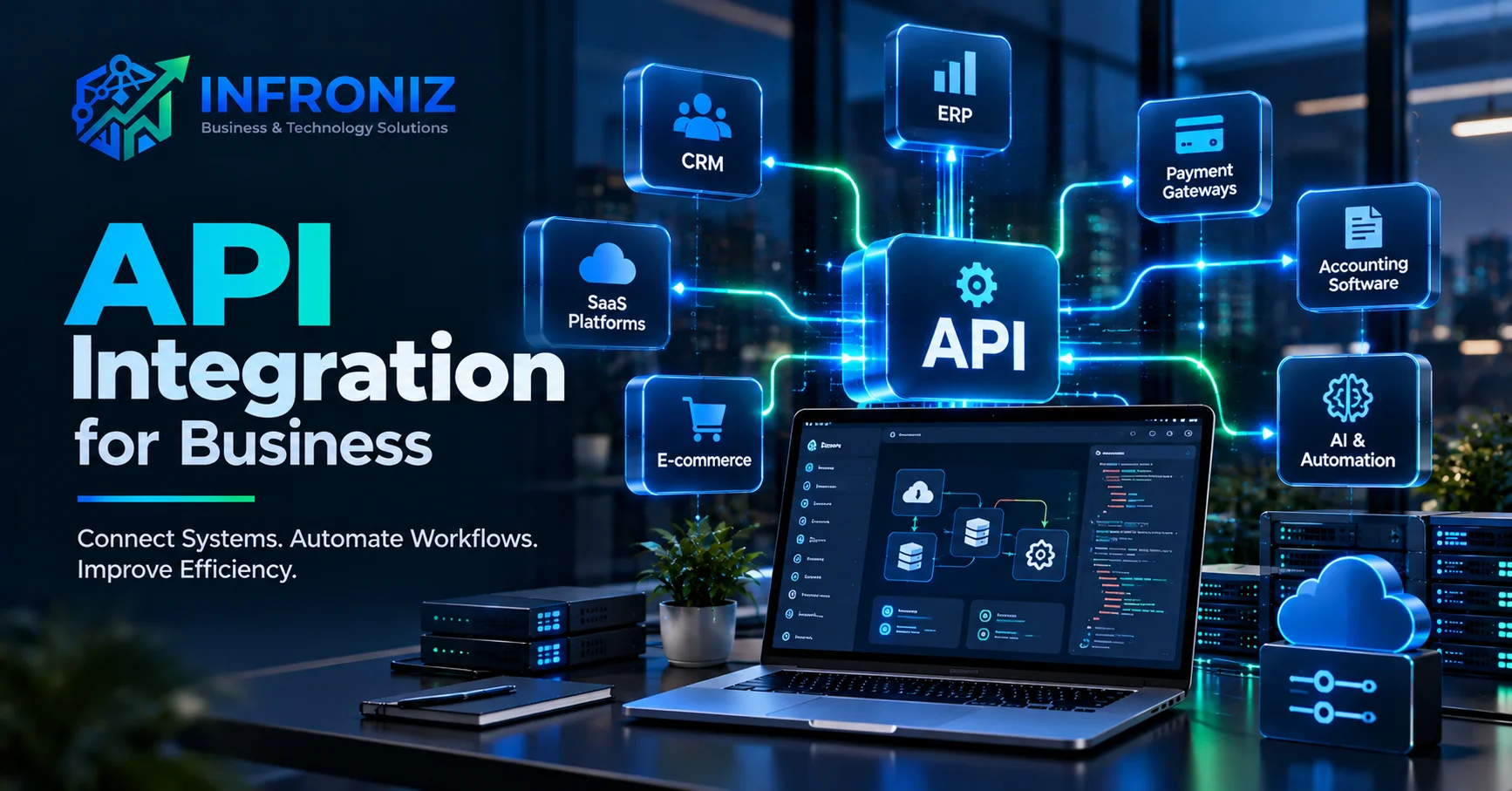
CRM and website integration: Send qualified inquiries from contact forms to the correct sales pipeline with source and consent information.
ERP and inventory integration: Synchronize approved stock and order events so teams have a consistent view of availability.
Accounting and invoicing integration: Transfer validated invoice and payment information while maintaining reconciliation controls.
Payment gateway integration: Create checkout sessions, confirm payment status using secure server-side events and handle refunds or failed payments.
HR and attendance integration: Link attendance records with approved workforce systems and payroll review processes.
Customer portals: Show authorized customers relevant order, billing or service information without duplicating entire databases.
AI workflow integration: Send permitted information to document processing, classification or support tools, then return results for human review when needed.
API integration versus custom API development
Integration usually means connecting existing interfaces. Custom API development means building a new interface for an application or internal system. Some projects need both: a legacy application may lack a suitable API, while a new customer portal requires a controlled interface to business data. A discovery phase should identify available APIs, documentation, rate limits, authentication methods, costs and data ownership before choosing an approach.
How API integrations work
A typical workflow begins with an event such as a new order or updated customer record. The source application sends a request or webhook, an integration service validates it, maps fields and applies business rules, and the destination system processes the result. Successful implementations also track failures, retries and duplicate events. When workflows involve multiple systems, the team must decide which application is the source of truth for each type of data.
Real-time, scheduled and event-driven integrations
Real-time integrations are useful when users need an immediate response, such as confirming a checkout request. Scheduled synchronization can suit reporting or batch transfers that do not require instant updates. Event-driven integration uses notifications such as webhooks to trigger downstream processes. The best design balances speed, reliability, cost and operational complexity. Not every workflow needs real-time updates.
Security and privacy considerations
Integration security should be planned from the start. Use appropriate authentication and authorization, encrypt data in transit, store secrets securely, limit access scopes, validate inputs and log important actions without exposing sensitive content. Confirm that each connected system is permitted to receive the relevant data. For payment, financial, health or other sensitive records, additional compliance and contractual requirements may apply. Webhooks should be authenticated or signature-verified where supported, and retries should avoid duplicate processing.
Common challenges and how to avoid them
Typical problems include incomplete API documentation, incompatible field formats, outdated credentials, third-party rate limits, unexpected schema changes and unclear error ownership. Teams should define data contracts, mapping rules, monitoring, alerts and a recovery procedure. Build idempotent processing where possible, test edge cases and avoid assuming that a successful API response always means the full business transaction completed.
A practical API integration roadmap
1. Map the current workflow and identify manual steps.
2. Define the outcome and measurable success criteria.
3. Identify systems, data owners and sources of truth.
4. Review API documentation, permissions, limits and vendor costs.
5. Design authentication, data mapping, error handling and audit trails.
6. Build and test with realistic scenarios, including failure paths.
7. Launch with monitoring and a rollback or recovery plan.
8. Review performance and improve the workflow using actual usage data.
How much does API integration cost?
Cost depends on the number of systems, quality of existing APIs, data complexity, workflow rules, security requirements, testing needs and ongoing vendor charges. A straightforward connection between two well-documented platforms can require much less effort than a bidirectional integration involving legacy software and complex approval rules. Ask for a scope that distinguishes initial implementation from ongoing monitoring, maintenance and third-party subscription fees.
How Infroniz supports connected business systems
Infroniz Business & Technology Solutions offers API & System Integration alongside Custom Software Development, Web Application Development, Mobile App Development and AI & Process Automation. Depending on the project, this may include integration discovery, custom APIs, CRM or accounting connectivity, SaaS platform integrations, dashboards, automation and ongoing technical support. For deployments with additional infrastructure or security requirements, Infroniz also provides IT Infrastructure & Networking and Cybersecurity & Firewall Solutions. The goal is to design a dependable workflow that supports the business rather than connecting applications without a clear purpose.
Frequently asked questions
What are API integration services? They are services that connect software systems through defined interfaces so authorized information and actions can flow between them.
Can API integration automate manual tasks? Yes, when the connected systems and workflow rules support it; exceptions may still need human review.
Can legacy software be integrated? Sometimes. The approach depends on whether it exposes an API, supports exports or requires a carefully designed intermediary.
Is API integration secure? It can be designed securely, but safety depends on access controls, encryption, validation, vendor practices and ongoing maintenance.
How long does an integration take? Timelines vary based on documentation, number of systems, business rules, approvals and testing.
Can APIs connect AI tools to business software? Yes, subject to data permissions, security and workflow design.
Final takeaway and call to action
API integration creates value when it removes friction from a real business process. Start with one high-impact workflow, choose a clear source of truth, protect data, plan for failures and measure the outcome. If your teams are copying information between disconnected systems, Infroniz can help assess the workflow and plan an integration approach. Contact us at https://infroniz.com/contact.
Custom Software Development: https://infroniz.com/blog/custom-software-development-guide
AI Automation for Business: https://infroniz.com/blog/ai-automation-for-business
Web Application Development: https://infroniz.com/blog/web-application-development-guide
SaaS Development: https://infroniz.com/blog/saas-development-guide
Editorial note: Only add the links above after confirming each article is live. The Day 9 SaaS article should not be linked if it has not been published.