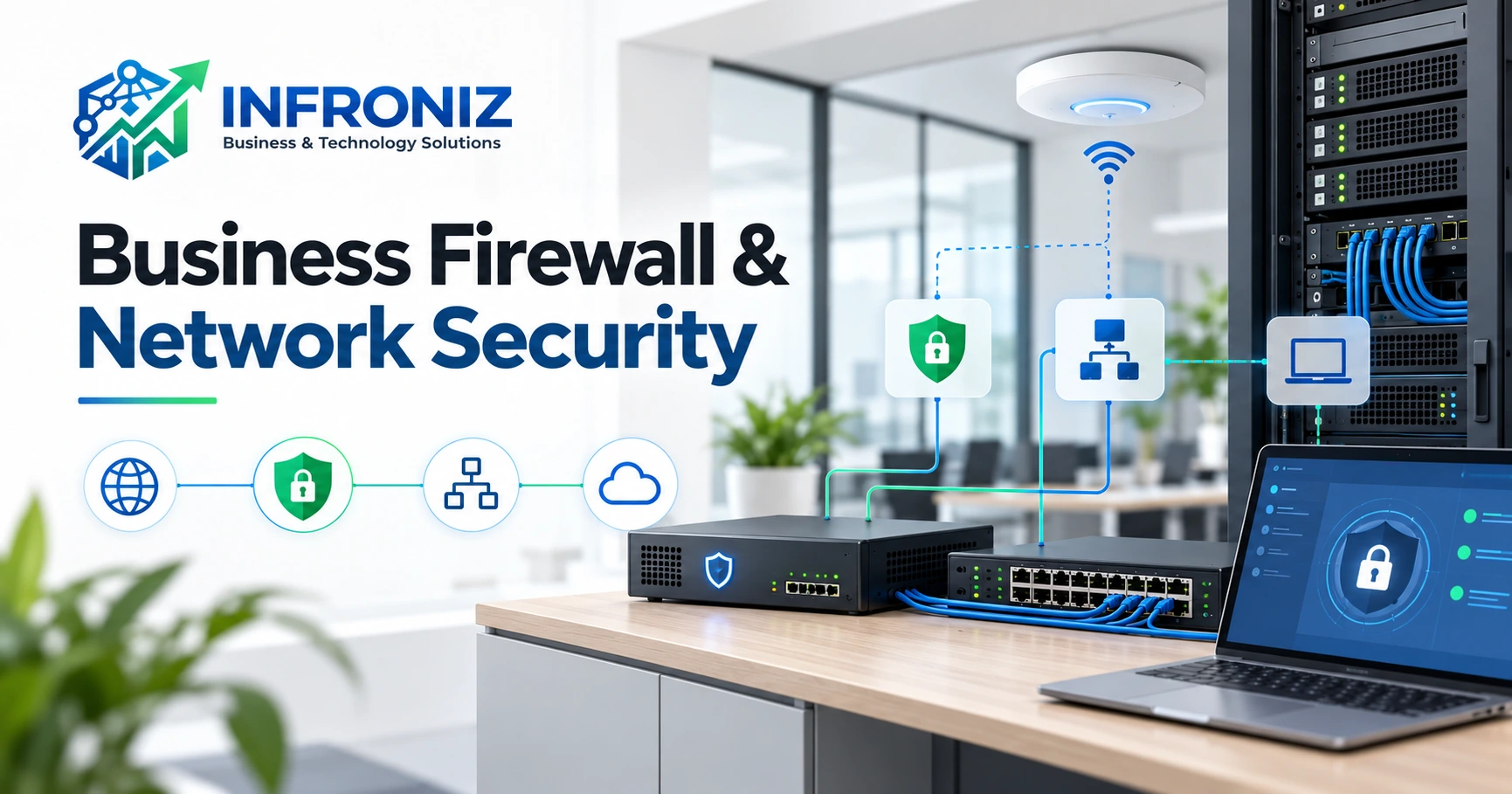
Business Firewall and Network Security: A Practical Guide for Small Businesses
A growing business depends on connected systems. Employees use cloud applications, share files, access financial records, connect printers and cameras, and sometimes work remotely. If every device has unrestricted access, one misconfiguration can create unnecessary exposure. A firewall is an important control, but it works best as part of a planned network rather than as a standalone purchase. This guide explains what to review, why it matters and how to make practical security decisions.
What a Business Firewall Does
A firewall enforces rules for network traffic. It can restrict unwanted inbound connections, control traffic between office networks, support remote-access policies and record activity. For example, a business might allow guest Wi-Fi users to access the internet while preventing them from reaching internal finance computers. Firewall effectiveness depends on correct configuration, maintained firmware and regular review. It cannot guarantee protection from every cyber incident.
Start With a Simple Network Inventory
Before selecting or configuring a firewall, identify employee computers, servers, printers, cloud applications, Wi-Fi access points, CCTV recorders, VoIP equipment, remote users and third-party support connections. Record which systems need to communicate and which contain sensitive information. A useful inventory answers: What is connected? Who manages it? What business purpose does it serve? What happens if it is unavailable?
Segment Staff, Guest and Connected Devices
Segmentation separates networks according to their purpose. Guest Wi-Fi should generally not reach company files. CCTV devices may need controlled access to a recorder or management workstation, but not to accounting systems. VLANs and firewall rules can enforce these boundaries where the hardware and configuration support them. Do not create unnecessary complexity: design separation around actual workflows and test critical connections after changes.
Write Firewall Rules Around Real Business Needs
Every access rule should have a business justification, source, destination, protocol, responsible owner and review date. Prefer the minimum access required. Avoid leaving temporary vendor access or old port-forwarding rules active indefinitely. When a legitimate application is blocked, identify the exact connection it needs instead of opening broad access. Keep a record of approved exceptions so future maintenance is manageable.
Protect Remote Access
Remote employees and external support teams sometimes need access to internal systems. Consider an appropriately managed VPN or identity-aware remote access solution instead of exposing administrative interfaces directly to the internet. Use strong authentication and multi-factor authentication where supported. Grant access based on role, review vendor accounts and remove permissions promptly when they are no longer needed.
Maintain Wi-Fi, Routers and Switches
Network security depends on the devices around the firewall. Unsupported firmware, default credentials, poor wireless configuration and unmanaged switches can weaken the overall environment. Business Wi-Fi planning should consider coverage, device capacity, guest isolation and equipment management. When CCTV, PABX and office devices share physical infrastructure, plan their connectivity and security together.
Monitor Meaningful Events
Logging is useful only if someone reviews it and knows how to respond. Decide which alerts deserve attention: failed administrator logins, configuration changes, unexpected exposed services, device outages or unusual traffic. Define alert ownership and escalation steps. Infroniz WhatsApp Gateway is described as a desktop application for monitoring alerts, message history and a Windows gateway; its suitability depends on the monitoring setup. It is not a substitute for a firewall or comprehensive security monitoring.
Plan for Failure and Recovery
Firewalls reduce risk, but outages and incidents can still happen. Store network configuration backups securely, document critical settings and know who can restore service. Maintain independent data backups and test recovery where practical. Review the impact of internet downtime, failed networking hardware and accidental rule changes on essential business operations.
Practical Firewall Review Checklist
1. Inventory network devices and connected services.
2. Identify staff, guest, server and CCTV network boundaries.
3. Review public-facing ports and remote administration.
4. Check firmware support and available security updates.
5. Confirm strong administrator credentials and appropriate access.
6. Document important rules and remove obsolete exceptions.
7. Review remote users and third-party access.
8. Confirm logging, alert ownership and response procedures.
9. Securely back up device configurations.
10. Schedule reviews after significant changes to staff, vendors, offices or applications.
Common Mistakes
Businesses often buy security hardware without defining their requirements. Others leave all devices on one unrestricted network, forget old vendor connections, retain default passwords or assume that installation alone completes the job. A better approach is to match controls to the business environment, document decisions and maintain them over time.
How Infroniz Can Help
Infroniz Business & Technology Solutions supports businesses through Security Solutions and IT Infrastructure & Networking. Depending on requirements, discussions may cover firewall configuration, network protection, connectivity, server and network setup, CCTV integration and related infrastructure. The exact scope should be assessed before making implementation commitments. To discuss your network requirements, contact Info@infroniz.com or WhatsApp 0303-8679604. Website: Infroniz.com.
Frequently Asked Questions
What is the difference between a router and a firewall? A router connects networks and directs traffic; a firewall enforces traffic policies. Some devices provide both functions.
Does a small business need a firewall? The right solution depends on connected systems, remote access, sensitive data and risk, but access control matters even in smaller offices.
Can a firewall isolate guest Wi-Fi? Yes, when the network and wireless configuration support separate networks and access policies.
Is a firewall enough to prevent cyberattacks? No. Updates, identity controls, backups, monitoring and employee practices also matter.
How often should rules be reviewed? Use a risk-based schedule and review after important network, staff or vendor changes.
Final Takeaway
Effective business network security begins with knowing what needs access and what should remain separate. Inventory the environment, create clear policies, protect remote connections, maintain devices, monitor important events and prepare for recovery. A well-managed firewall supports the way a business works while reducing avoidable exposure.