
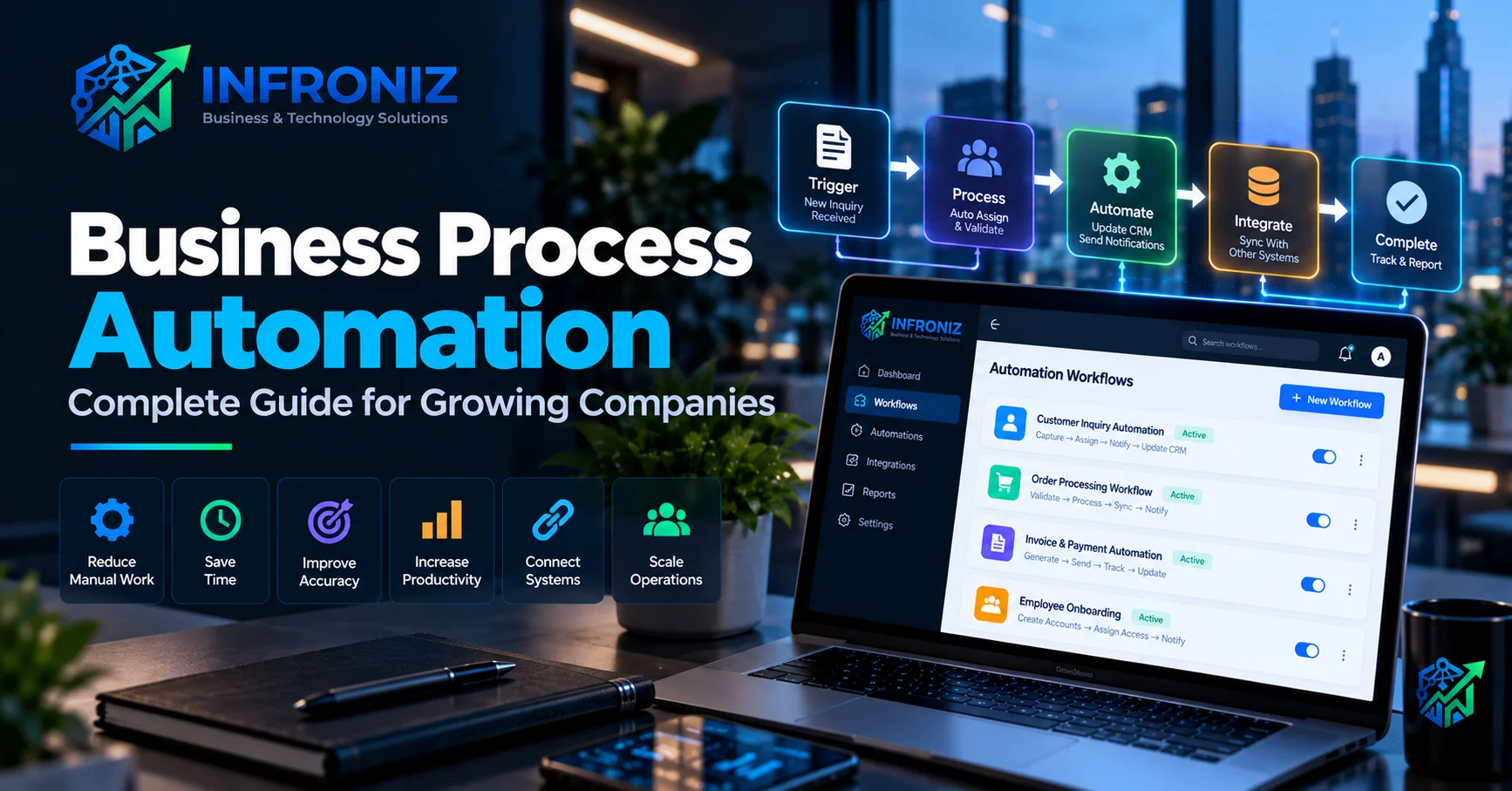
As a business grows, the amount of repetitive work usually grows with it. More customers mean more inquiries, more invoices, more approvals, more follow-ups, more reports, more data entry, and more coordination between teams.
At first, businesses often manage these activities through spreadsheets, emails, WhatsApp messages, shared documents, and manual processes. These methods may work when the company is small, but they become increasingly difficult to manage as operations expand.
This is where business process automation can create significant value.
Business process automation allows companies to use software, system integrations, workflow rules, and increasingly artificial intelligence to handle repetitive operational tasks automatically.
The objective is not simply to replace people with technology. Effective automation removes unnecessary manual work so employees can spend more time on decisions, customers, problem-solving, and activities that genuinely require human judgment.
In this guide, we will explain what business process automation is, how it works, which processes can be automated, how AI is changing automation, what implementation looks like, and how growing companies can decide where automation will create the greatest business value.
What Is Business Process Automation?
Business process automation (BPA) is the use of technology to automate repeatable business activities and workflows that would otherwise require employees to perform them manually.
A business process usually consists of several connected steps.
For example, consider a new sales inquiry:
Customer Inquiry → Lead Creation → Sales Assignment → Follow-Up → Proposal → Approval → Customer Onboarding
Without automation, employees may manually copy information from one system to another, send emails, create reminders, update spreadsheets, assign tasks, and prepare reports.
With business process automation, many of these steps can happen automatically according to predefined business rules.
The result can be faster processing, fewer repetitive tasks, better consistency, improved visibility, and more scalable operations.
Why Business Process Automation Matters
Manual processes are not always a problem.
For small volumes, manually performing a task may actually be simpler and more economical than building automation.
The problem appears when a repetitive process starts consuming significant employee time or creating operational bottlenecks.
Common warning signs include:
- Employees repeatedly entering the same information.
- Teams maintaining multiple spreadsheets for the same process.
- Customer inquiries being missed or answered late.
- Managers manually preparing recurring reports.
- Approvals depending on emails or messages.
- Employees copying data between different applications.
- Important follow-ups being forgotten.
- Customers repeatedly asking for status updates.
- Different employees following different processes.
- Management lacking real-time operational visibility.
These problems often indicate that the business has grown faster than its internal systems.
Business Process Automation vs Simple Task Automation
Task automation and business process automation are related, but they are not exactly the same.
Task automation usually automates one specific action.
For example:
Form Submitted → Send Confirmation Email
Business process automation usually connects multiple tasks into a larger workflow.
For example:
Form Submitted → Validate Information → Create CRM Lead → Assign Salesperson → Send Customer Response → Schedule Follow-Up → Notify Manager
The second workflow automates a meaningful portion of an actual business process rather than one isolated task.
What Business Processes Can Be Automated?
Almost every department contains repetitive processes, but that does not mean every process should be automated.
The best automation opportunities usually involve tasks that are repetitive, predictable, high-volume, time-consuming, or dependent on information moving between systems.
Sales Automation
Sales teams often spend significant time performing administrative work that can be partially automated.
Examples include:
- Capturing website leads
- Creating CRM records
- Assigning leads to sales representatives
- Sending initial responses
- Creating follow-up reminders
- Updating lead stages
- Generating quotations
- Notifying managers about important opportunities
- Preparing sales reports
A properly designed sales workflow can reduce the risk of valuable inquiries being forgotten.
Customer Service Automation
Customer service teams frequently handle repetitive requests.
Automation can help with:
- Creating support tickets
- Categorizing requests
- Sending acknowledgment messages
- Assigning cases
- Escalating overdue requests
- Providing status notifications
- Collecting customer feedback
- Preparing support summaries
AI can further assist by understanding customer questions, retrieving relevant information, summarizing conversations, and helping employees prepare responses.
Finance and Accounting Workflows
Finance teams deal with many structured and repetitive processes.
Potential automation areas include:
- Invoice generation
- Payment reminders
- Expense approval
- Purchase requests
- Payment status updates
- Recurring financial reports
- Document organization
- Transaction notifications
Financial workflows should include appropriate controls and human approval where necessary.
Human Resources
HR automation can reduce administrative work throughout the employee lifecycle.
Examples include:
- Employee onboarding
- Document collection
- Leave requests
- Attendance workflows
- Approval processes
- Employee reminders
- Performance review scheduling
- Offboarding checklists
Operations
Operational workflows are often strong candidates for automation because they contain recurring tasks involving multiple teams.
Automation may support:
- Order processing
- Inventory updates
- Task assignment
- Approval workflows
- Vendor management
- Scheduling
- Internal requests
- Status tracking
- Management alerts
Reporting and Management
Many companies still spend hours every week collecting information from spreadsheets and separate applications to prepare management reports.
Automated reporting can collect information from connected systems and display it through dashboards.
Management can potentially monitor:
- Sales
- Revenue
- Outstanding payments
- Customer activity
- Inventory
- Support requests
- Employee activity
- Operational performance
This reduces reporting effort and provides decision-makers with more current information.
How System Integration Enables Automation
One of the biggest barriers to automation is disconnected software.
A company may use one platform for CRM, another for accounting, another for ecommerce, another for communication, and spreadsheets for internal operations.
Employees then become the connection between these systems.
They manually move information from one application to another.
API integration can allow these systems to communicate directly.
For example:
Website → CRM → Accounting → Payment Gateway → Operations → Customer Notification → Management Dashboard
When these systems are connected correctly, information can move automatically through the business.
This is why automation projects often require both workflow design and API integration services.
Business Process Automation and Custom Software
Businesses do not always need custom software to automate processes.
Existing automation platforms and SaaS products may already solve many common workflows.
However, custom software becomes more relevant when a company has specialized processes, complex business rules, multiple integrations, unique user roles, or requirements that generic platforms cannot support efficiently.
A custom application might centralize:
- Customer management
- Orders
- Approvals
- Documents
- Payments
- Reporting
- Communication
- Automation
Instead of employees moving between multiple disconnected systems, the business can create a more unified operating environment.
Our Custom Software Development Guide explains when purpose-built software may make sense.
How AI Is Changing Business Process Automation
Traditional automation works particularly well when information and decisions are predictable.
For example:
If invoice remains unpaid for 7 days → Send reminder.
Artificial intelligence expands the range of processes that can be automated because AI can work with less structured information.
AI can assist with:
- Reading documents
- Extracting information
- Classifying requests
- Summarizing conversations
- Understanding natural-language instructions
- Searching internal knowledge
- Preparing responses
- Analyzing text
- Routing requests
For example, a traditional system may know that a customer submitted a message.
An AI-enabled workflow may also understand what the customer is asking about.
The workflow could become:
Customer Message → AI Understands Intent → Customer Record Retrieved → Request Categorized → Appropriate Team Assigned → Draft Response Prepared → CRM Updated
This combination of AI and workflow automation can be powerful when implemented with appropriate controls.
Read our AI Automation for Business Guide for a deeper explanation.
What Are AI Agents in Business Automation?
AI agents can extend automation by allowing an AI system to use approved tools, information sources, APIs, and workflows to perform defined multi-step tasks.
For example, an AI agent might:
- Receive a customer request.
- Identify what the customer needs.
- Retrieve relevant account information.
- Check approved company knowledge.
- Prepare an appropriate response.
- Create a task for an employee.
- Update the CRM.
However, businesses should not give AI unrestricted control over important systems.
Permissions, audit logs, validation, monitoring, and human approval should be introduced according to the risk of the workflow.
Benefits of Business Process Automation
Reduce Manual Work
Automation can eliminate repetitive activities that consume employee time without requiring significant judgment.
Improve Accuracy
Manual data entry creates opportunities for mistakes.
Automatically transferring information between systems can reduce repeated entry and improve consistency.
Faster Processing
Automated workflows can trigger immediately instead of waiting for someone to manually begin the next step.
Better Customer Experience
Customers benefit when inquiries, updates, approvals, orders, and support requests move through the business more quickly and consistently.
Better Visibility
Automated processes create structured data that can be used for dashboards and management reporting.
Greater Scalability
Without automation, processing twice as many transactions may require nearly twice as much administrative work.
Automation can help businesses increase volume without increasing manual workload at the same rate.
How to Identify Processes Worth Automating
A common mistake is starting with the question:
"Where can we use AI?"
A better question is:
"Where is our business losing unnecessary time or money?"
Look for processes that:
- Happen frequently
- Follow predictable steps
- Require repetitive data entry
- Move information between systems
- Frequently experience delays
- Create avoidable errors
- Require repetitive communication
- Consume significant employee time
These processes are usually stronger automation candidates than occasional activities.
A Practical Business Process Automation Framework
Step 1: Map the Existing Process
Document what actually happens today.
Identify:
- Who starts the process?
- Which employees are involved?
- Which systems are used?
- What information is required?
- Where are decisions made?
- Where do delays occur?
- Which steps are repetitive?
Step 2: Remove Unnecessary Steps
Do not automate a bad process without questioning it.
Some steps may exist simply because they have always existed.
Simplify the workflow before automating it.
Step 3: Define the Desired Outcome
Automation should have a measurable objective.
Examples include:
- Reduce processing time by 50%
- Reduce manual data entry
- Respond to inquiries faster
- Reduce missed follow-ups
- Improve reporting accuracy
- Increase transactions handled per employee
Step 4: Determine What Should Be Automated
Not every step should be automated.
Some decisions require employee judgment, customer relationships, negotiation, or approval.
A strong workflow often combines automation and human involvement.
Step 5: Choose the Technology
Only after understanding the process should you decide whether the solution requires:
- Existing SaaS software
- Workflow automation tools
- API integrations
- Custom software
- AI services
- A combination of these technologies
Step 6: Start With One High-Value Workflow
Trying to automate an entire company at once creates unnecessary complexity.
Start with one process where the business value is clear.
Measure the results before expanding automation to additional areas.
Step 7: Test Real Scenarios
Automation should be tested against more than the ideal workflow.
Test:
- Missing information
- Incorrect information
- Duplicate requests
- Failed integrations
- Unavailable services
- Permission problems
- Unexpected user behavior
Step 8: Monitor and Improve
Business processes change.
Automation should therefore be monitored and adjusted as workflows, systems, customers, and requirements evolve.
How to Measure Automation ROI
Automation should ultimately produce measurable business value.
Before implementation, calculate the current cost of the process.
For example:
Number of Tasks × Average Time Per Task × Employee Cost
Then consider additional costs caused by:
- Errors
- Delays
- Missed opportunities
- Duplicate work
- Customer complaints
- Management reporting effort
After automation, compare the new processing time and operational cost.
Useful automation metrics can include:
- Hours saved
- Processing time
- Error rate
- Response time
- Transactions per employee
- Customer satisfaction
- Conversion rate
- Cost per transaction
When Should You NOT Automate?
Automation is not automatically the correct solution.
A process may not be worth automating when:
- It happens very rarely.
- The workflow changes constantly.
- Human judgment is central to almost every step.
- The cost of automation exceeds the likely benefit.
- The underlying process is poorly understood.
- The required data is unreliable.
- The automation introduces unacceptable risk.
Sometimes improving the process manually is the better first step.
Security and Automation
Automation frequently connects important business systems, which means security should be considered from the beginning.
Important areas include:
- User permissions
- API authentication
- Credential management
- Data access
- Audit logs
- Approval workflows
- Encryption
- Backups
- Error monitoring
AI-enabled automation may require additional controls depending on what information the AI can access and what actions it can perform.
Common Business Process Automation Mistakes
Automating Everything
The objective is not maximum automation. The objective is better business performance.
Automating a Broken Process
Automation can make a bad process execute faster without making it better.
Ignoring Employees
The people who perform a process every day often understand its problems better than management or developers.
Include them during discovery.
Choosing Tools Before Understanding the Workflow
Buying an automation platform does not automatically create an automation strategy.
Ignoring Exceptions
Real business workflows rarely follow the ideal path every time.
Design for exceptions and failures.
Not Measuring Results
If you cannot explain what improved after automation, it becomes difficult to justify further investment.
Business Process Automation and Digital Transformation
Business process automation is often an important part of digital transformation.
Digital transformation does not simply mean moving documents from paper to a computer.
It involves reconsidering how technology, data, people, and processes work together.
A company may begin with one automated workflow and gradually move toward a more connected digital operating model.
This can include:
Connected Systems + Centralized Data + Automated Workflows + Management Visibility + AI Assistance
The result is not just new software. It is a more efficient way for the business to operate.
How Infroniz Approaches Business Process Automation
At Infroniz Business & Technology Solutions, we believe automation should begin with understanding the business process rather than selecting an automation tool.
We first look at:
- How the process works today
- Where employees spend time
- Which systems are involved
- Where information is duplicated
- Which decisions require human judgment
- Where delays and errors occur
- What outcome the business wants to improve
From there, the appropriate solution may involve:
- Workflow automation
- Custom software development
- API integration
- AI automation
- Business dashboards
- Existing SaaS platforms
- A combination of these approaches
We do not believe every process needs AI or custom software.
The goal is to select the simplest technology that reliably solves the business problem and can evolve as requirements grow.
Related Infroniz Guides
- Custom Software Development: Complete Guide for Businesses
- AI Automation for Business: A Practical Guide for 2026
- Web Application Development: Complete Business Guide
- AI Workflow Automation: Benefits, Examples and Use Cases
- API Integration Services: Connect Your Business Systems
Start With the Process, Not the Technology
Business process automation can create significant operational value, but the technology itself is only part of the solution.
The strongest automation projects begin by understanding how work happens today, removing unnecessary complexity, identifying repetitive activities, and defining a measurable business outcome.
Technology is then used to support that improved process.
If your team spends too much time on repetitive work, disconnected systems, manual reporting, follow-ups, or data entry, contact Infroniz. We can help you map the workflow and determine where software, integrations, automation, or AI can create practical business value.
Frequently Asked Questions
What is business process automation?
Business process automation is the use of software, workflow rules, integrations, and other technologies to automate repetitive business activities and move information between people and systems more efficiently.
What are examples of business process automation?
Examples include lead assignment, customer follow-ups, invoice generation, payment reminders, employee onboarding, approval workflows, document processing, support ticket routing, order processing, and automated reporting.
What is the difference between workflow automation and business process automation?
Workflow automation typically focuses on automating a sequence of tasks, while business process automation can involve a broader end-to-end business process containing multiple workflows, users, systems, rules, and integrations.
Can AI be used for business process automation?
Yes. AI can help when workflows involve unstructured information such as documents, emails, customer messages, classification, summarization, search, or natural-language requests.
Does a business need custom software for automation?
No. Many processes can be automated using existing software and automation platforms. Custom software becomes more useful when workflows, integrations, permissions, or business rules are too specialized for standard products.
How should a company start business process automation?
Start with one repetitive, high-value process. Map how it works today, calculate the time and cost involved, simplify unnecessary steps, identify what can safely be automated, and measure the result before expanding to additional workflows.