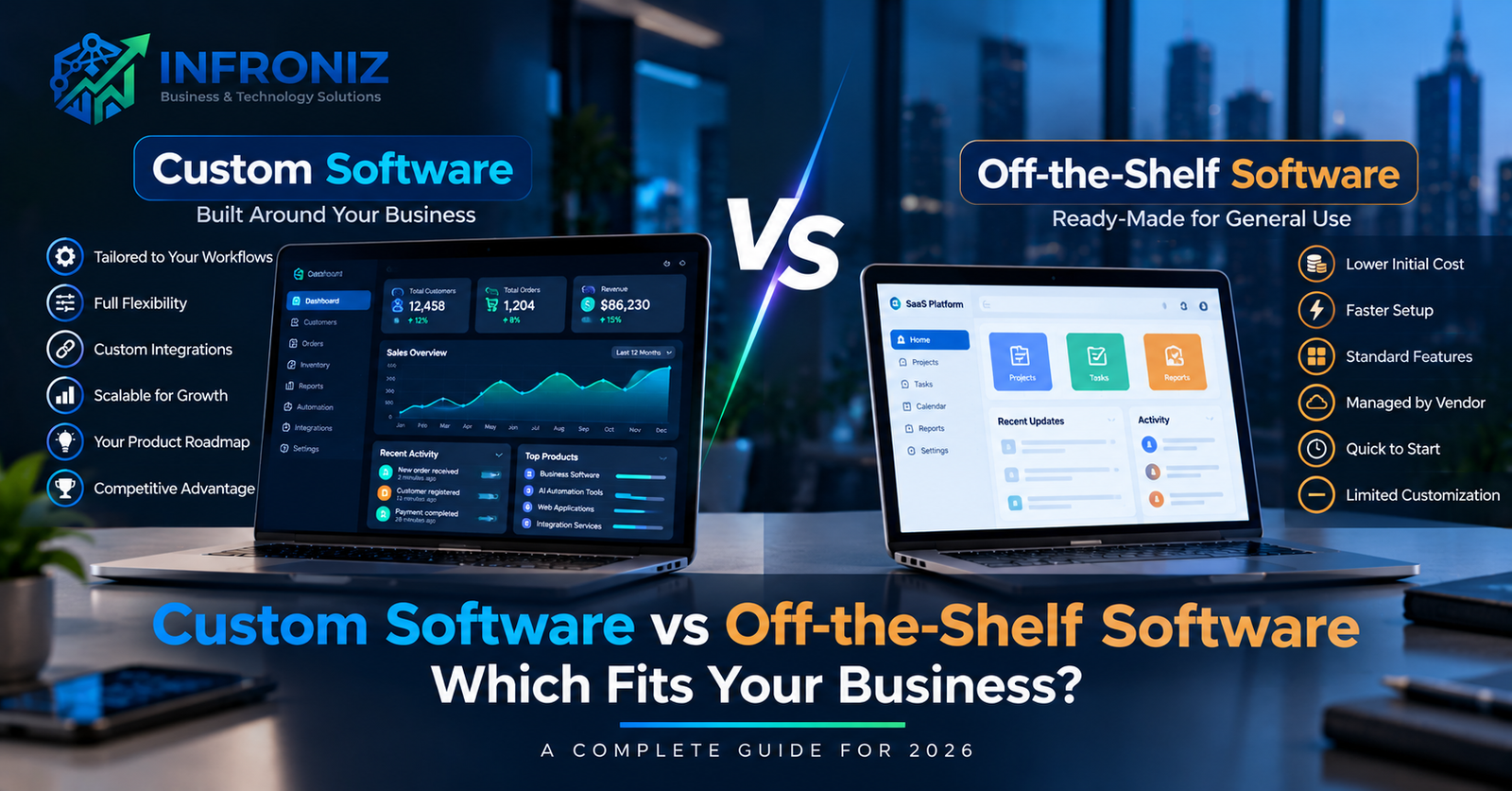
Choosing business software is rarely just a technical decision. The software you select can influence how your team works, how easily systems communicate, how quickly operations scale, and how much flexibility your business has in the future.
One of the most important decisions is whether to invest in custom software development or use an existing off-the-shelf software product.
Off-the-shelf software can be an excellent choice when your requirements are relatively standard and an established product already solves the problem well. Custom software becomes more attractive when your workflows, integrations, automation requirements, or digital product strategy cannot be handled efficiently by generic software.
This guide compares custom software vs off-the-shelf software across cost, implementation time, flexibility, scalability, integrations, ownership, security, maintenance, and long-term business value.
What Is Custom Software?
Custom software is designed and developed around the specific requirements of an individual organization.
Instead of changing your business processes to match a generic product, custom software can be designed around your existing workflows, users, permissions, data, integrations, and business rules.
Examples include:
- Custom CRM systems
- ERP and operations platforms
- SaaS applications
- Customer portals
- Employee management systems
- Inventory applications
- Booking platforms
- Business dashboards
- Workflow automation systems
- AI-powered applications
- Industry-specific software
Businesses considering this approach can read our complete guide to custom software development for a deeper explanation of the development process.
What Is Off-the-Shelf Software?
Off-the-shelf software is an existing product designed for a broad group of customers rather than one specific organization.
Examples include accounting platforms, CRM products, project management tools, ecommerce platforms, HR software, collaboration tools, and email marketing systems.
Because development costs are distributed across many customers, these products can usually be adopted faster and with a lower initial investment than building a custom application.
The trade-off is that your organization generally has less control over functionality, product direction, pricing, integrations, and future changes.
Custom Software vs Off-the-Shelf Software at a Glance
| Factor | Custom Software | Off-the-Shelf Software |
|---|---|---|
| Initial Cost | Usually higher | Usually lower |
| Implementation | Requires design and development | Often faster to start |
| Customization | Designed around your requirements | Limited to available configuration |
| Integrations | Can be designed around required systems | Depends on vendor integrations and APIs |
| Scalability | Can be architected for expected growth | Depends on vendor plans and limitations |
| Product Roadmap | Controlled by your business | Controlled by the vendor |
| Maintenance | Your responsibility or development partner | Usually managed by the vendor |
| Competitive Advantage | Can create proprietary capabilities | Competitors can use the same product |
1. Cost
Cost is usually the first difference businesses notice.
Off-the-Shelf Software Cost
Existing software normally requires a subscription or licensing fee rather than a large development investment.
This makes it attractive for businesses that need standard functionality quickly.
However, the long-term cost may increase with:
- Additional users
- Premium features
- Storage
- API access
- Additional locations
- Transaction fees
- Third-party integrations
- Implementation consultants
Custom Software Cost
Custom software usually requires a larger upfront investment because the product must be designed, developed, tested, deployed, and maintained.
The cost depends on factors such as features, user roles, integrations, UX complexity, platforms, security, infrastructure, and data requirements.
However, initial price alone does not provide a complete comparison.
Businesses should consider the total cost of ownership over several years.
2. Speed of Implementation
Off-the-shelf software generally has an advantage when speed is the priority.
A business may be able to create an account and begin configuration immediately.
Custom software requires discovery, product planning, UX/UI design, engineering, testing, and deployment.
However, implementation time for existing software can also increase when extensive configuration, data migration, training, or integrations are required.
3. Flexibility
This is one of the strongest differences between the two approaches.
With off-the-shelf software, your business works within the functionality provided by the vendor.
Configuration may be available, but fundamental changes are normally outside your control.
Custom software allows workflows to be designed around specific business requirements.
This can be particularly valuable when your organization has specialized:
- Approval processes
- Pricing rules
- User roles
- Reporting requirements
- Customer journeys
- Operational workflows
- Integration requirements
4. Integrations
Modern businesses rarely operate using one application.
Your software may need to communicate with CRM, ERP, accounting, ecommerce, payment, logistics, communication, analytics, cloud, or AI platforms.
Off-the-shelf products usually provide a predefined collection of integrations.
If the integration you need is unavailable, your options may be limited.
Custom software can be designed specifically around available APIs and required data flows.
For example:
Website → CRM → Payment → Inventory → Delivery → Accounting → Management Dashboard
A properly designed integration architecture can reduce repeated data entry and improve operational visibility.
5. Workflow Automation
Automation becomes increasingly important as businesses grow.
Generic software may provide useful automation features, but these are usually designed around common workflows.
If your business has specialized processes, custom software can provide more control over automation.
For example:
New Lead → Qualification → Sales Assignment → Follow-Up → Proposal → Approval → Customer Onboarding
AI can also be introduced where workflows involve documents, classification, search, summarization, or other information-processing tasks.
Our AI Automation for Business guide explains these opportunities in more detail.
6. Scalability
Both approaches can scale, but they scale differently.
With SaaS products, scalability depends on the vendor's infrastructure, pricing model, account limits, and product architecture.
This can be convenient because infrastructure management remains with the vendor.
Custom software gives your organization more control over architecture and infrastructure.
A system can be designed to support expected growth in users, transactions, data, locations, and integrations.
That does not mean every custom application should be overengineered for millions of users from day one.
The goal is to create an architecture that supports realistic growth without unnecessary complexity.
7. Ownership and Control
When using third-party software, the vendor controls the product.
The vendor may change:
- Features
- Pricing
- Subscription plans
- API limits
- User limits
- Policies
- Interface design
- Supported integrations
With custom software, ownership arrangements depend on the development agreement, but businesses can potentially gain significantly more control over functionality, roadmap, integrations, and product direction.
8. Security
Security is not automatically better simply because software is custom or commercial.
Established software vendors may have dedicated security teams and mature infrastructure.
At the same time, businesses must trust the vendor's security practices and platform architecture.
Custom software allows security requirements to be designed around a specific business, but this requires competent architecture, secure development practices, testing, monitoring, updates, and ongoing maintenance.
Security should therefore be evaluated based on implementation quality and risk requirements rather than the software category alone.
9. Maintenance
One major advantage of off-the-shelf software is that the vendor normally handles platform maintenance.
Updates, infrastructure, bug fixes, and product improvements are generally included in the subscription.
With custom software, the organization or its technology partner must maintain the application.
This can include:
- Security updates
- Infrastructure monitoring
- Bug fixes
- Performance optimization
- Dependency updates
- Integration maintenance
- Feature improvements
This creates additional responsibility but also provides more control.
When Should You Choose Off-the-Shelf Software?
Existing software is often the better choice when:
- Your requirements are standard.
- A mature product already solves the problem.
- You need to launch quickly.
- Your budget is limited.
- Specialized integrations are not required.
- The vendor's workflow fits your business.
- The subscription cost remains reasonable as you scale.
Building custom software simply because you can is usually a poor investment.
If a reliable existing product solves 90% of the problem without creating major operational limitations, using it may be the more practical decision.
When Should You Consider Custom Software?
Custom business software becomes more attractive when:
- Your team relies heavily on manual workarounds.
- Existing software cannot support important workflows.
- Multiple disconnected systems create duplicated work.
- You require specialized integrations.
- Your business needs proprietary functionality.
- Existing SaaS pricing becomes expensive at scale.
- You are developing a digital product or SaaS platform.
- Automation could create substantial operational value.
- Your workflows create a competitive advantage.
There Is Also a Third Option: Hybrid
The decision does not always need to be completely custom or completely off-the-shelf.
A hybrid approach can often provide the best balance.
For example, a business might continue using established accounting and CRM software while developing a custom operational platform that connects those systems.
The architecture could look like:
Custom Business Application ↔ CRM ↔ Accounting ↔ Payment Gateway ↔ AI Services ↔ Analytics
This avoids rebuilding mature functionality that already exists while allowing the company to customize the workflows that actually differentiate its operations.
Questions to Ask Before Making the Decision
Before choosing an approach, ask:
- What problem are we actually trying to solve?
- Can an existing product solve it effectively?
- How much manual work will remain?
- Which integrations are required?
- How many users will need the system?
- How quickly are requirements likely to change?
- What will the solution cost over three to five years?
- Does the workflow provide competitive advantage?
- How important is control over the product roadmap?
- What security and compliance requirements apply?
These questions provide a stronger basis for the decision than comparing feature lists alone.
How Infroniz Approaches the Decision
At Infroniz Business & Technology Solutions, we do not believe every business problem requires custom software.
Our approach begins by understanding the workflow and the outcome the business wants to achieve.
The right solution may involve:
- Using an existing platform
- Integrating existing systems
- Automating selected workflows
- Developing a custom application
- Building a hybrid solution
- Modernizing existing software
The objective is not to build the largest system.
The objective is to create the most practical technology solution for the business problem.
Related Infroniz Guides
- Custom Software Development: Complete Guide for Businesses
- AI Automation for Business: A Practical Guide for 2026
- Web Application Development: Complete Business Guide
- How Much Does Custom Software Development Cost?
- How to Choose a Software Development Company
Custom or Ready-Made? Start With the Business Problem
There is no universal winner in the custom software vs off-the-shelf software debate.
Existing software can provide excellent value when requirements are standard, while custom development can become a strategic investment when specialized workflows, integrations, automation, or proprietary functionality matter.
The right decision depends on the economics and operational requirements of your business.
Not sure whether to build or buy? Contact Infroniz to discuss your requirements. We can help you evaluate the workflow, available platforms, integration options, and whether custom development is actually justified.
Frequently Asked Questions
What is the difference between custom software and off-the-shelf software?
Custom software is developed around the requirements of a specific organization, while off-the-shelf software is a standardized product designed to serve many customers.
Is custom software more expensive?
Custom software generally has a higher initial development cost. However, businesses should compare total cost of ownership, including subscriptions, user fees, integrations, operational inefficiencies, maintenance, and long-term scalability.
Is custom software better for growing businesses?
Not necessarily. Existing software can scale effectively when it matches the business requirements. Custom software becomes more valuable when standard platforms create operational limitations or cannot support important workflows.
Can custom software integrate with existing SaaS products?
Yes. A hybrid approach can connect custom applications with CRM, ERP, accounting, ecommerce, payment, analytics, cloud, messaging, and AI platforms when suitable APIs are available.
How do I know if my business needs custom software?
Look for persistent manual workarounds, disconnected systems, specialized workflows, expensive SaaS limitations, integration problems, or proprietary functionality that existing products cannot handle efficiently.